
Growth without growing pains
Work in Claude, ChatGPT, or Copilot. Let Business Online keep track of customers, projects, and history. Business Online brings CRM, projects, KHMS, and HR together in a single platform integrated with Microsoft 365, so small and medium-sized growth companies get structure and control, without chaos.
Among the companies that use Business Online



Business Online as the foundation
Provide AI with a common foundation to work with.
The knowledge must be usable by more than the person who sat in the meeting. In Business Online, information and follow-up are linked to the customer, project, or case in question.
01
Structure in Business Online
Customers, projects, timelines, and deviations provide the information in context. Colleagues have a common place to find it again.
02
Access through MCP
Business Online MCP connects the AI client to specific data and actions in Business Online. Configurations and access control govern what is available. Requests are logged.
03
Updates in shared history
Have the AI assistant record the meeting notes for the customer. Once the recording is done in Business Online, colleagues can find it within the relevant access points.
A customer meeting in practice
The colleague starts where you left off.
From what you agreed on last time, to what should be followed up on. Here is one example.
01
Get the history before the meeting.
Ask the AI client what you agreed on last time with the customer.
02
Register what you agree on.
Have the AI client save the meeting note to the customer in Business Online.
03
Let the colleague continue the follow-up.
Once the note is registered, the colleague finds it in the customer's timeline, within the applicable access permissions.
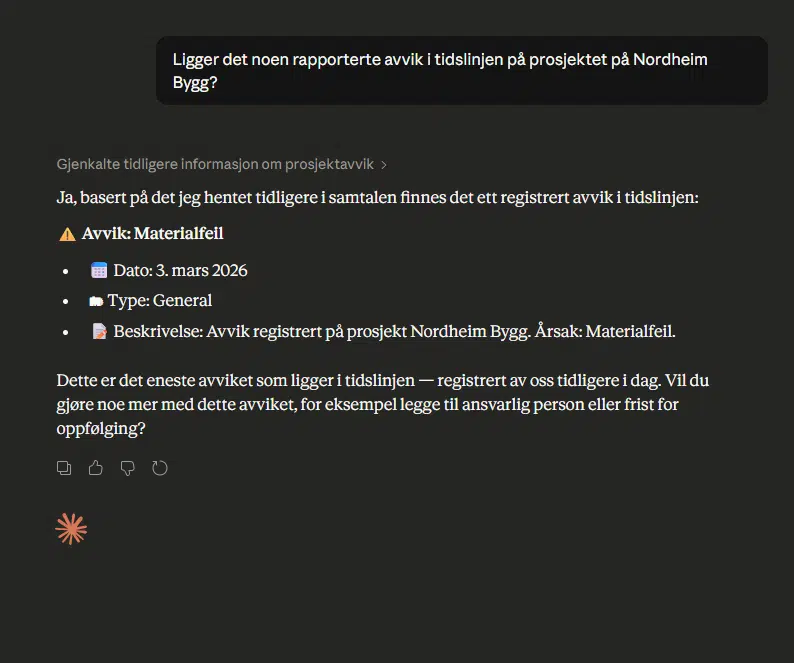
The product image shows the AI client Claude (Anthropic) retrieving information from Business Online for chat. Requires a connection through the Business Online MCP and the correct access permissions.

Christofér Næsheim, PSS Securitas.
PSS Securitas · AI in the workplace
"I could have found it myself, but now I got the answer within a few seconds."
Christofér Næsheim
Operations Manager Norway, PSS Securitas
He wanted to know which shifts were missing staffing. Claude retrieved the overview from the shift lists in Business Online.
The foundation for AI in the working day
AI needs context. It is found here.
The customer, project, and follow-up are all connected. Business Online brings CRM, project, KHMS, and HR together in Microsoft 365. With Business Online MCP, the AI assistant can retrieve information and register updates in selected areas.
CRM for customer follow-up
Contacts, sales opportunities, and history follow the customer. The follow-up can be taken further by several people.
- Companies, contacts and sales opportunities
- Common customer history and follow-up
- Offer builder and Outlook integration
With Business Online MCP connected to the CRM module, you can extract customer information, create new customers, partners, sales opportunities, and register follow-up activities.
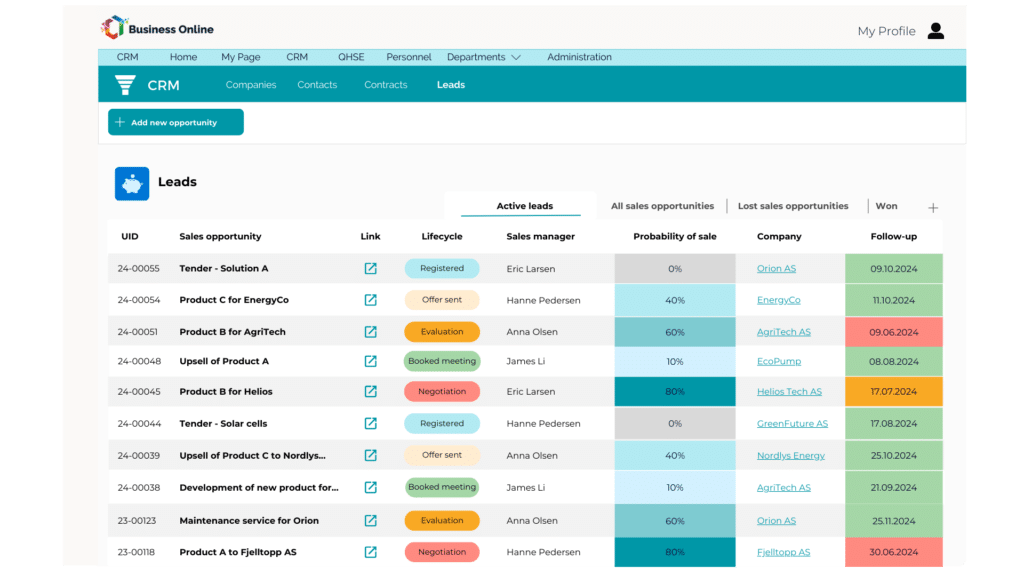
A list view of all sales opportunities that lie in the CRM in Business Online. The screen shows the platform.
Project management from planning to delivery
Plans, updates, and quality control are linked to the project. Colleagues have a common place to follow the work.
- Tasks and progress with the Gantt view
- Project plans and quality control plans
- Documents and follow-up related to the project
With the Business Online MCP connected to the project module, you can retrieve project information and register updates on the timeline.
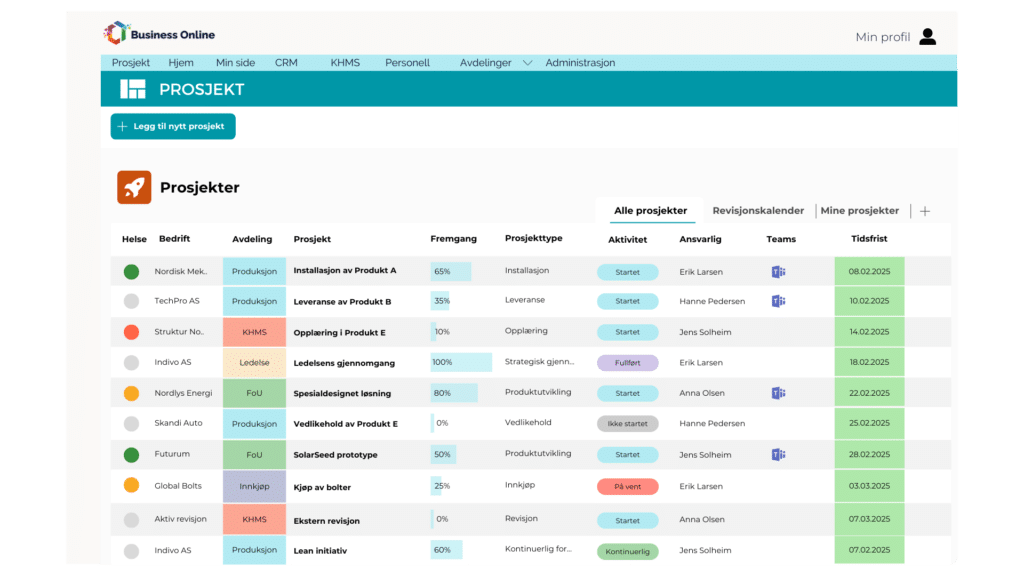
Project overview in Business Online.
Quality system for HSE and ISO work
Nonconformities, risks and documentation are collected in a system for quality work.
- Deviation management and risk management
- Document management with version control
- Support for the work with ISO 9001, 14001 and 45001
With Business Online MCP connected to the KHMS module, you can create deviations, retrieve the deviation overview, and read the status of quality control plans.
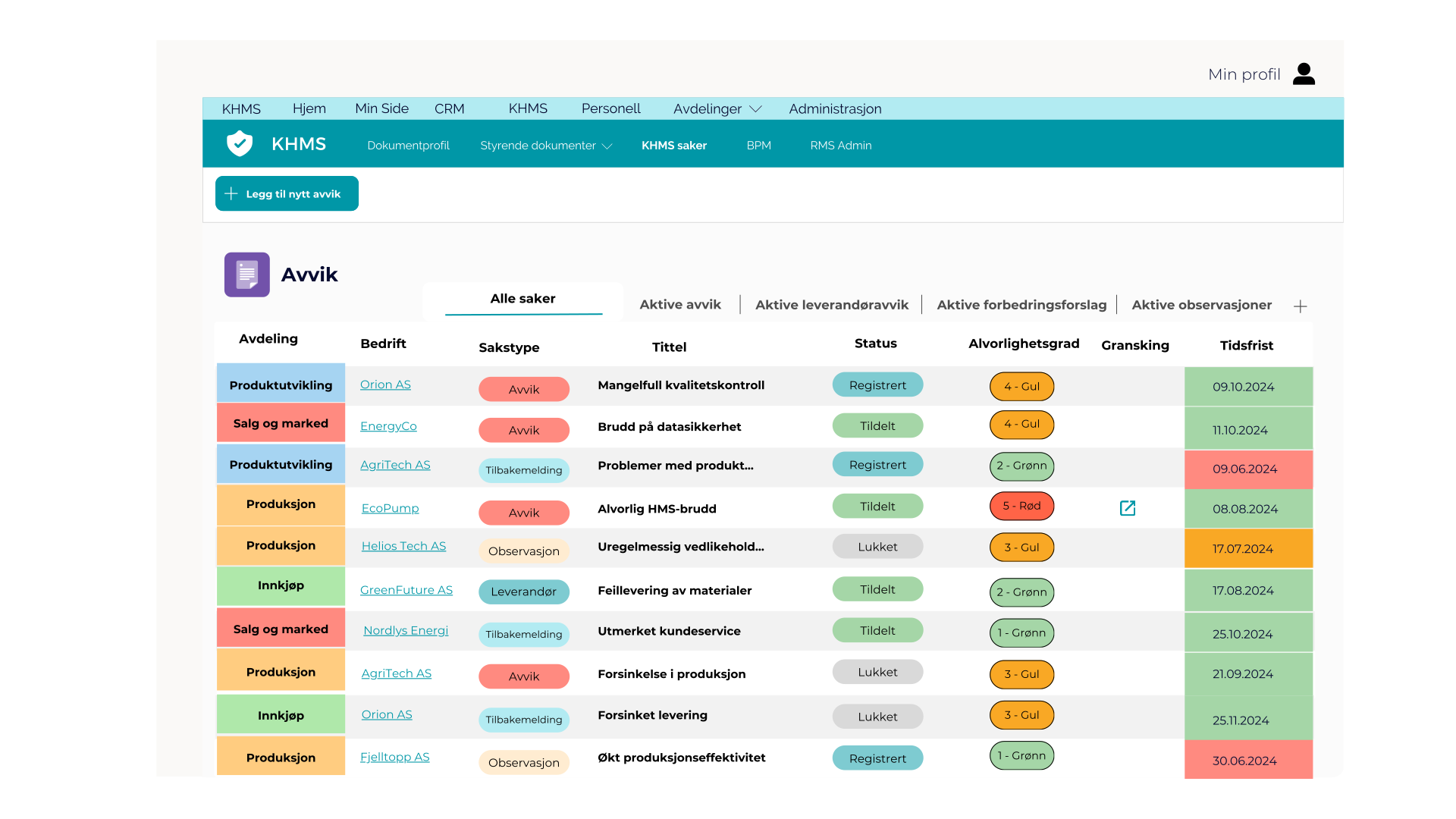
Variance overview in Business Online.
Personnel system for joint follow-up
Personnel follow-up and documentation in your own, access-controlled workspaces.
- Access-controlled staff workspaces
- Qualifications, certificates and documentation
- Resource planning and My Page
The HR module is part of the Business Online platform. Personal data is currently kept outside the standard connection MCP for AI clients.
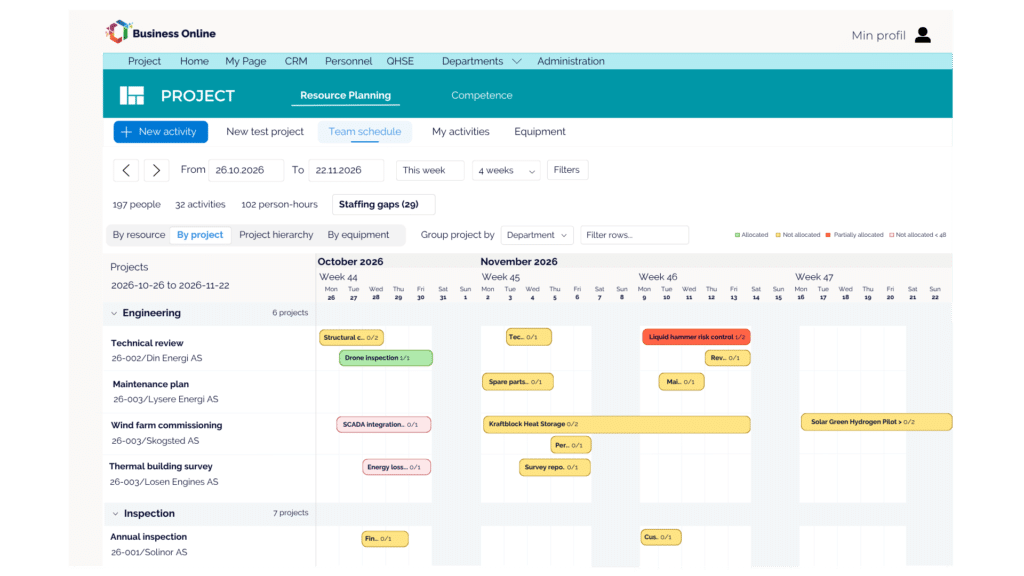
Resource planning in Business Online.
This gives customers more control in their daily lives.

Lie Blikk
"We need a system that makes it easy to work in the same way."
Eirik Kvilstad Heskja
Head of digitalization & finance

Izomax
"It's very easy and transparent for everyone to work in the system, and we get better control over projects and deliveries."
Anne Bergsagel
Head of Operations

Soiltech
"We had Business Online in place before the growth accelerated. This allows us to scale now without stressing the organization."
Else-Karin Vådeland
VP HSSEQ & Sustainability
More customer stories: NovuMare ↗ Fishbones ↗
From knowledge to practice
Get more out of the information you already have.
See what the Business Online MCP allows the AI client to retrieve and register, and what access is required. ↗
What do you need to take responsibility for when the solution is to be maintained, shared and used over time? ↗
Five tips for gathering and sharing knowledge, even when more of the work takes place in AI conversations. ↗
See what you should have in place in terms of processes, responsibilities, and documentation before the audit. ↗
Get an overview of the costs and what influences the price. ↗
Before you decide
Questions about Business Online and AI
A connection, the right access and the information that is worth finding again.
Which AI tools can we use?
Claude, ChatGPT, and Microsoft Copilot can be used with Business Online MCP. The client, license, and setup must be in place.
Will everything we write in the chat be saved in Business Online?
You ask the AI client to register information about, for example, the customer or the project. When the registration is completed in Business Online, it is available there within the applicable access points. The entire chat is not automatically stored in Business Online. The AI tool’s processing of the conversation follows the terms and settings of the tool you are using.
What parts of the system can AI use?
The AI connection includes companies, contacts, sales opportunities, projects, timeline, and deviations. Quality control plans and master data can be read. Personnel, contracts, and deletion are kept out of the standard connection. See the full overview.
Is the AI connection included in the subscription?
The MCP connection comes with Business Online for all new customers. Existing customers also receive the connection, unless they choose to opt out themselves. The AI tool must have the necessary access or license, and the setup and access must be in place.
How is access controlled?
The connection requires authentication. Configurations and access control dictate which data and actions the AI client can use. Requests are logged, and deletion is not available through the standard connection.
Can we still use Business Online as usual?
Yes. The platform remains a workspace for CRM, projects, HRMS, and HR. You choose which tasks you want to do there, and which you want to do through the AI client.
Bring a work assignment. We show the interaction.
A customer to be followed up on. A project you want to have an overview of. We show how AI and Business Online can be used together.